

Launch RaportAI for clinicians, institutions, and external systems with clear rules.
This hub covers individual usage, corporate onboarding, HBYS/PACS/teleradiology integration, and the external API contract used by technical teams.
Bearer rapi_xxx
jobId + callback
organization.html
reporting-ai.html
Where should you start?
Start with sign-in, dashboard, AI reporting, and export flow.
Open user guideStart with corporate login, organization management, and API key issuance.
Open corporate guideFocus on the async report API, callback signature, polling and rate limit rules.
Open API referenceUse the corporate guide and checklist to structure multi-user operations.
Open checklistHow the platform is positioned
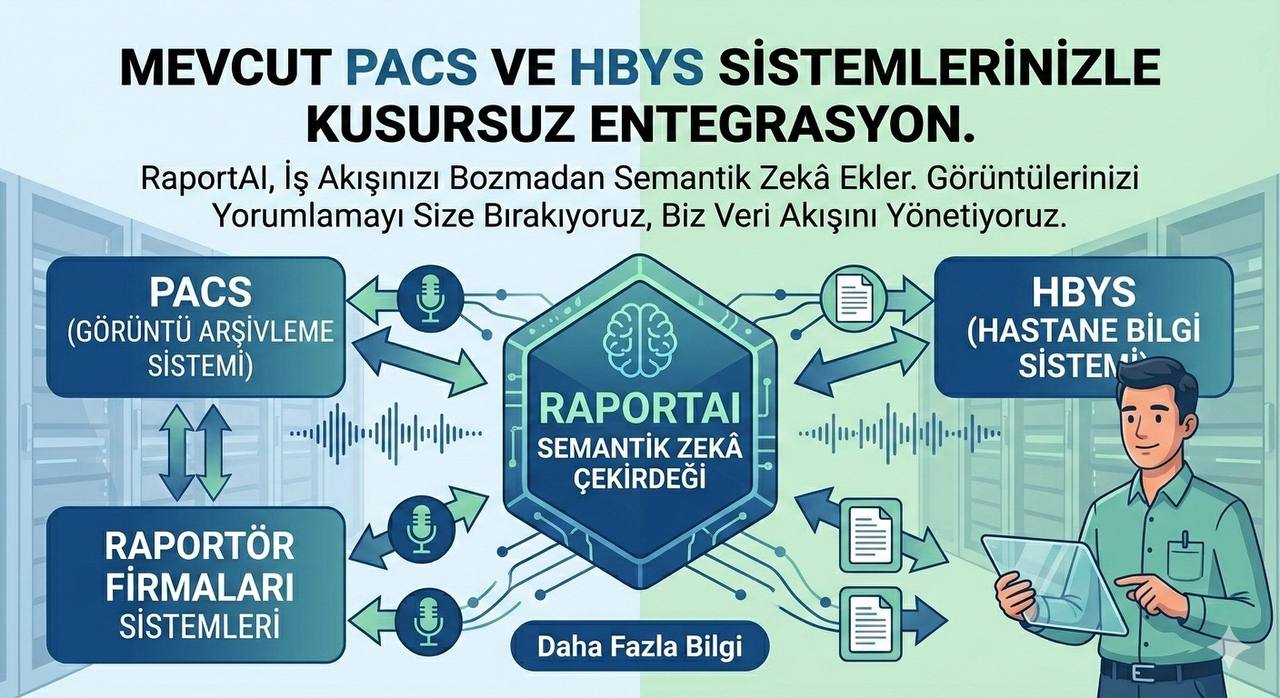
Individual, corporate, admin, and accounting access are isolated. Wrong-role access fails closed.
AI jobs are queued, tracked, and scaled under load.
Corporate API keys are limited to authorized managers. Callback HMAC and rate limits are explicit.
Corporate workspace
Hospitals, imaging centers, and teleradiology teams use the corporate login path. After sign-in, the organization workspace exposes member management, API key generation, and institutional controls.
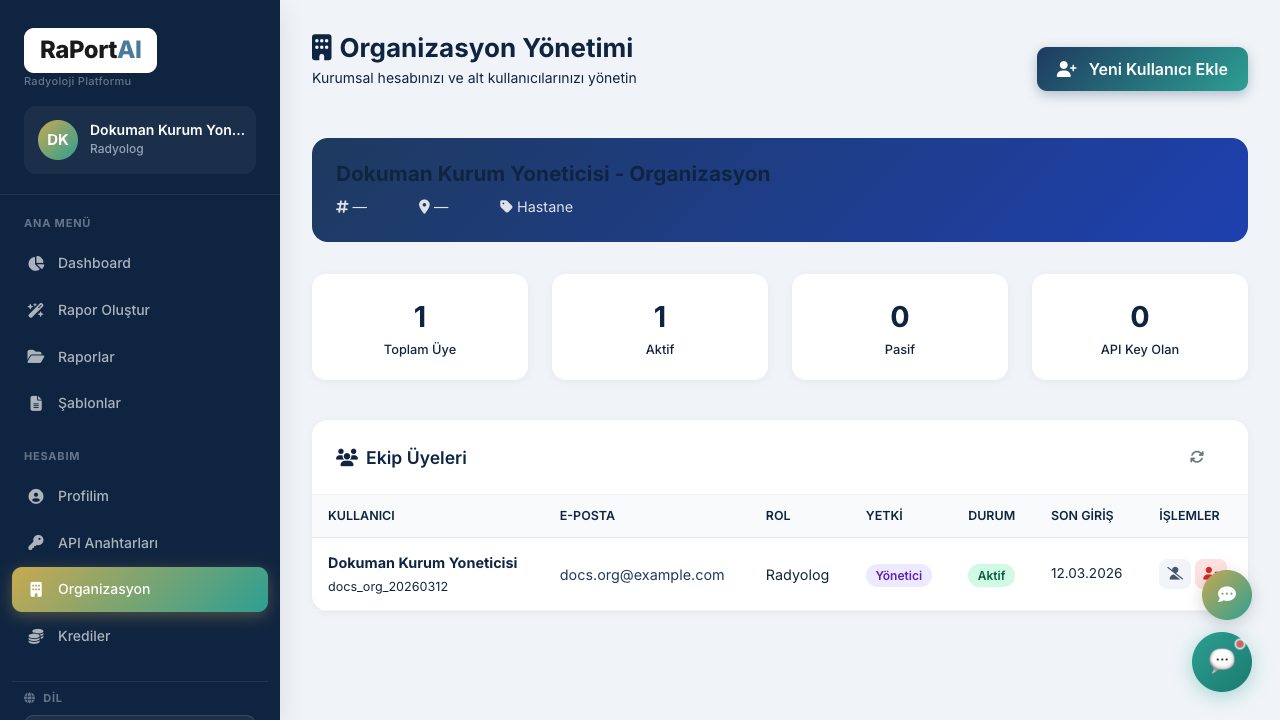
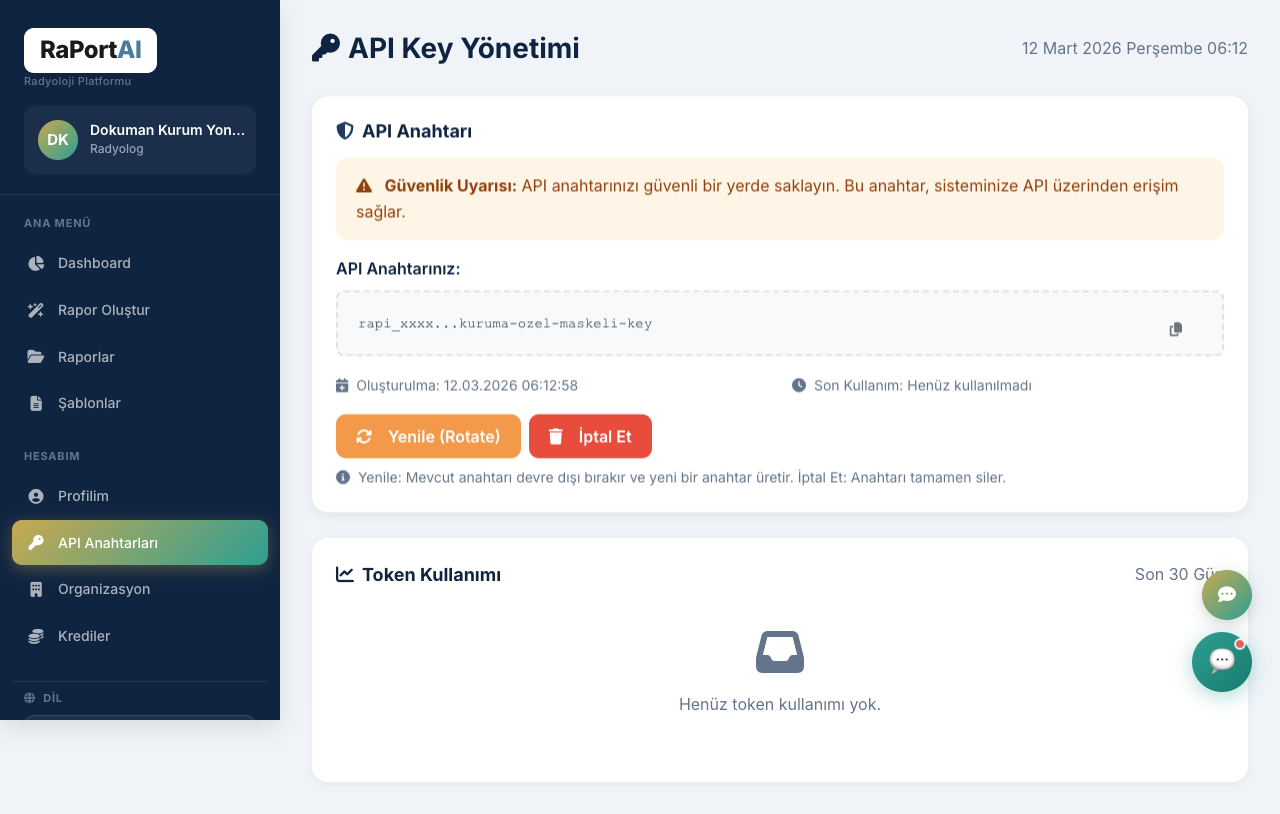
Corporate onboarding steps
Register the organization or have an administrator provision the account.
Sign in via /kurumsal-login.html. Successful
login lands on /organization.html.
Create radiologists, doctors, and technical users inside the organization workspace.
Create the rapi_xxx key from the API key page and
hand it to the HBYS/PACS team.
Use HTTPS callback URLs and verify RaportAI HMAC signatures.
Run a low-volume pilot, verify callback and polling behavior, then switch live traffic.
Individual user guide
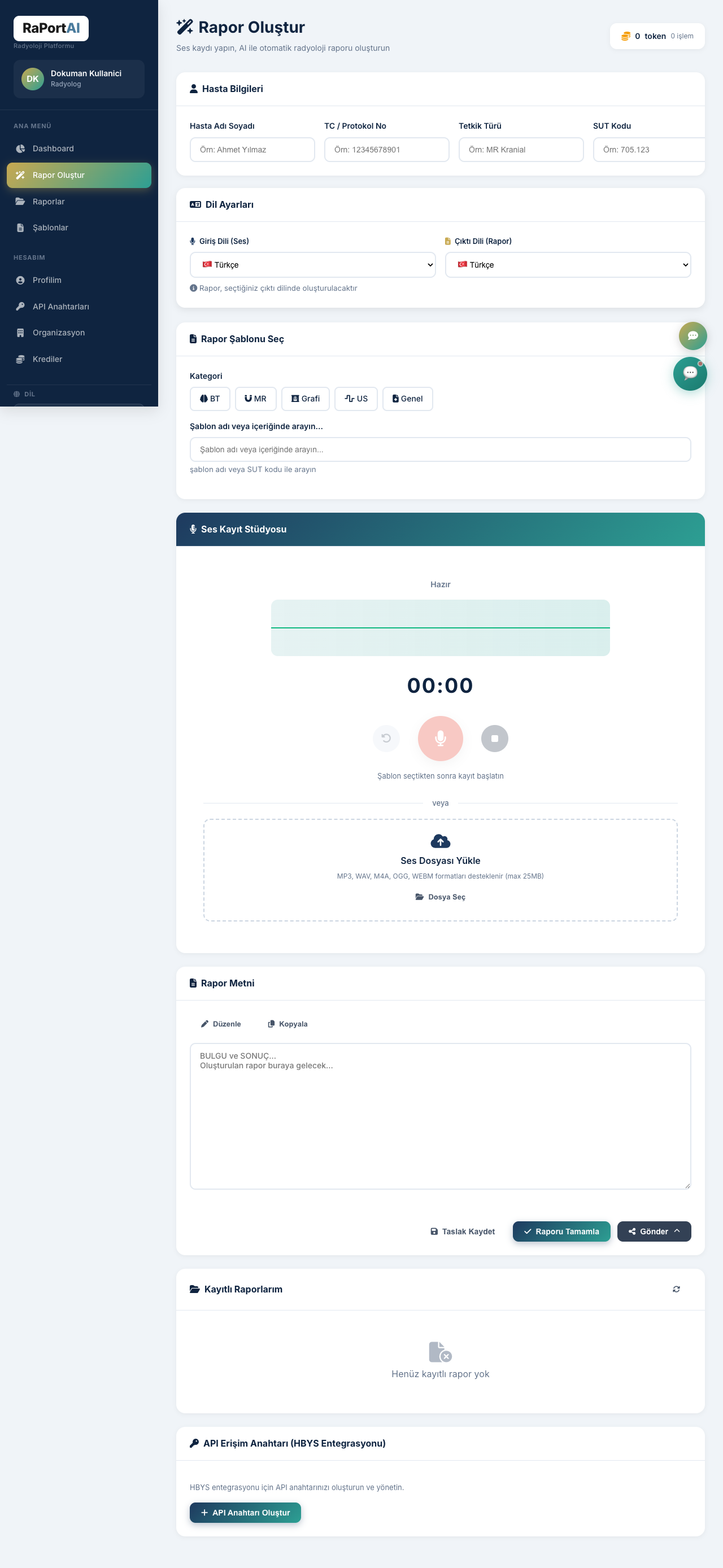
Individual radiologists do not need technical integration. Once authenticated, dashboard, AI reporting, templates, and report history are ready to use.
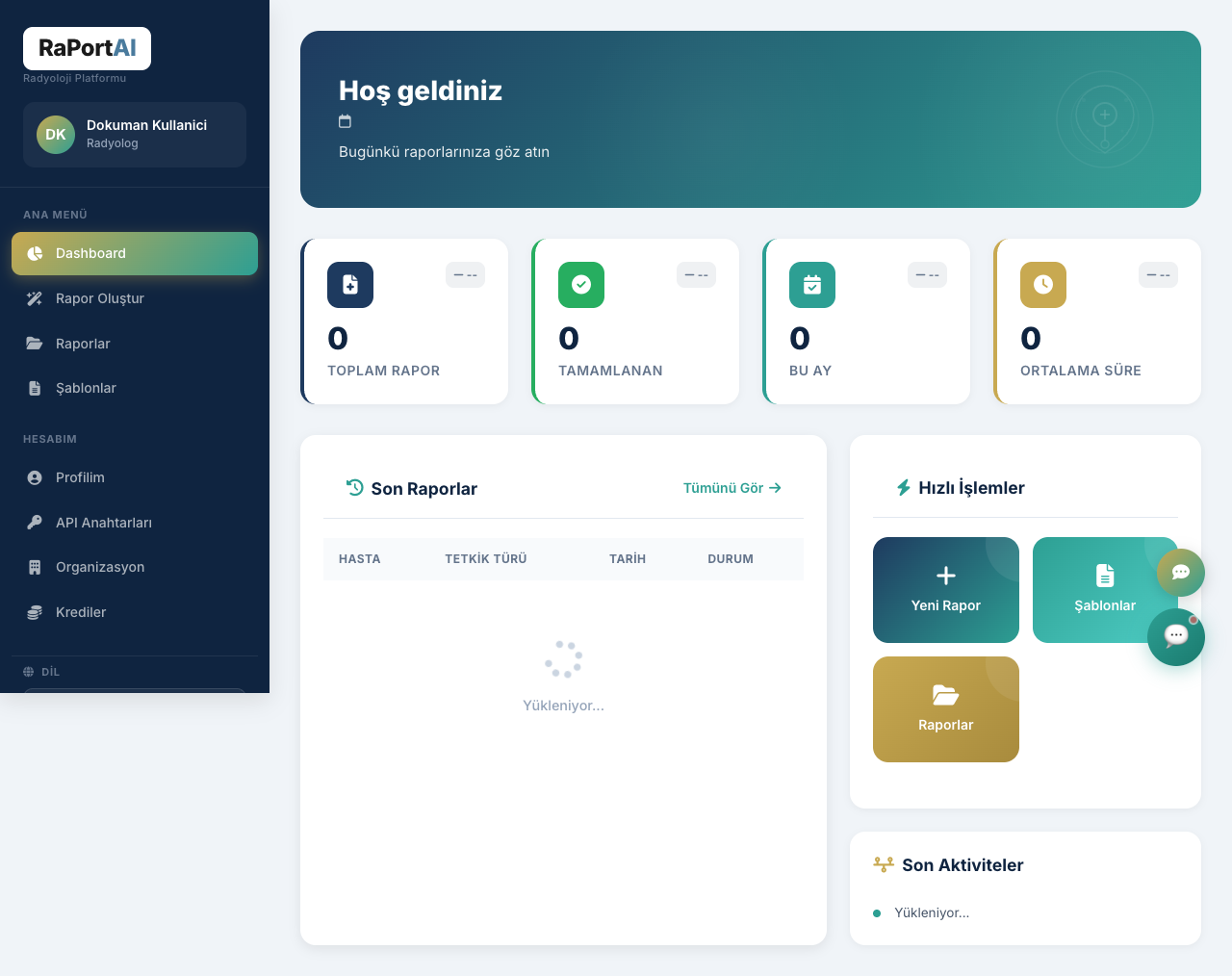
Typical individual flow
Use the user login path. It is isolated from admin and corporate logins.
Check recent reports and quick actions before starting.
Go to /reporting-ai.html and start recording or
dictate findings.
Use modality and template matching to structure the report faster.
Check and edit the generated report before saving.
Save the final report and manage it from report history.
External API reference
This channel is designed for hospitals, HBYS vendors, PACS providers, and teleradiology partners that need a stable, secure integration contract.
Base URLs and authentication
| Rule | Meaning |
|---|---|
rapi_ prefix |
The API key must use the RaportAI external format. |
| Active user | Inactive users cannot authenticate. |
| Corporate manager only |
Unauthorized corporate users and individual accounts receive
403.
|
| Rate limit |
Plan around roughly 60 requests per minute; use
2-5 second polling.
|
Core endpoints
| Endpoint | Purpose | Notes |
|---|---|---|
GET /templates |
Return normalized template list. | Names are unique, sanitized, extension-free. |
POST /report |
Start an async report job. |
Returns jobId, poll URL, and per-job
hmacSecret.
|
GET /report/{jobId} |
Check status or fetch completed payload. |
States: pending, processing,
completed, failed.
|
POST /pacs/report |
Start a multi-exam PACS report job. |
Single audio, multiple exams. Returns jobId and per-exam reports.
|
GET /pacs/report/{jobId} |
Poll multi-exam job status. | Same states as single report; response includes per-exam breakdown. |
PACS / Teleradiology — Multi-Exam API
Send a single audio dictation containing multiple exam findings and receive a separate structured report for each exam. Designed for direct PACS and teleradiology system integration.
Endpoint
POST
/api/external/v1/pacs/report
Request format
Send as multipart/form-data:
| Field | Type | Description |
|---|---|---|
audio | File | Audio file — supported formats listed below. Maximum 100 MB. |
metadata | JSON string | Exam details (see structure below) |
Metadata JSON structure
Metadata fields
| Field | Type | Required | Description |
|---|---|---|---|
patientUid | string | No | DICOM patient UID or HBYS patient identifier |
patientName | string | No | Patient name |
exams | array | Yes | Exam list (min 1, max 20) |
exams[].accessionNumber | string | No | DICOM accession number |
exams[].sutCode | string | Yes | SGK SUT code (5-7 digit numeric, regex ^\d{5,7}$, e.g. 804200) |
exams[].teleCode | string | No | Teleradiology R/S code |
exams[].templateContent | string | No | Custom template (TXT, RTF or HTML) |
exams[].templateFormat | string | No | "txt", "rtf" or "html" (required if templateContent is set). HTML format preserves bold/italic formatting. |
callbackUrl | string | No | Webhook URL (HTTPS required) |
inputLang | string | No | Input language (default: tr) |
outputLang | string | No | Output language (default: tr) |
Template placeholders
If you send a custom template, use these placeholders:
{{BULGULAR}}— Findings section{{SONUC}}/{{SONUC}}— Conclusion / impression{{IZLENIM}}— Impression{{TEKNIK}}— Technical information{{KLINIK}}— Clinical information{{KARSILASTIRMA}}— Comparison
Response (202 Accepted)
Poll status: GET /api/external/v1/pacs/report/{jobId}
Completed response:
Webhook callback
When a callback URL is specified, a POST request is sent upon job completion:
| Header / Body | Description |
|---|---|
X-RaportAI-Timestamp | ISO 8601 timestamp |
X-RaportAI-Signature | HMAC-SHA256 hex signature (verify with hmacSecret) |
| Body | Same completed response format as above |
cURL example
Error codes
| HTTP | Code | Description |
|---|---|---|
| 400 | INVALID_METADATA | Metadata JSON is invalid |
| 400 | NO_EXAMS | Exam list is empty |
| 400 | TOO_MANY_EXAMS | Max 20 exams per request |
| 400 | MISSING_ACCESSION | Accession number missing |
| 400 | INVALID_SUT_CODE | SUT code format invalid |
| 400 | INVALID_AUDIO | Audio file is invalid |
| 401 | UNAUTHORIZED | API key missing or invalid |
| 402 | INSUFFICIENT_CREDITS | Not enough report credits |
| 409 | DUPLICATE_SUBMISSION | Same audio already submitted |
| 429 | RATE_LIMIT | Request limit exceeded |
Report Credits
| Rule | Description |
|---|---|
| Deduction unit | Each successful report costs 1 credit (not per audio file) |
| Multi-exam | 1 audio with 7 exams, all successful = 7 credits deducted |
| Failed report | No credit deducted (0 credits) |
| Insufficient credits | HTTP 402 — job is not created |
| Remaining credits | Shown in every response as remainingCredits |
| Credits used | Shown in completed jobs as creditsUsed |
Limits
| Limit | Value |
|---|---|
| Max audio file | 50 MB |
| Max exams per request | 20 |
| Request limit | 60 / minute |
| Estimated processing time | ~30-45 sec / exam |
| Supported formats | WAV, MP3, M4A, OGG, WebM |
| Supported languages | Turkish (tr), English (en), Russian (ru), Azerbaijani (az), French (fr), German (de) |